 WAN 3.001
Wan 3.0
VIDEOWan 3.0 turns text, images and multimodal references into video with generated sound. Create clips up to 30 seconds, choose output up to 1080p and plan each generation with current per-second rates.
Wan API is a developer platform for the Wan video model family. Compare Wan 3.0, Prime and Pro specifications and prices, then prepare a request in the preview playground.
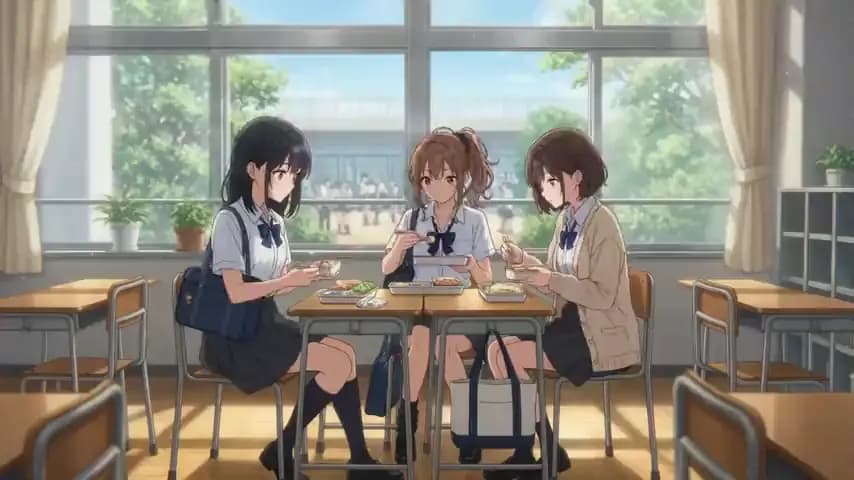
WAN 3.0 / VIDEO SAMPLEThree friends share lunch in a sunlit classroom.
16:9MODEL OVERVIEW
Wan 3.0 and Prime support output up to 1080p; Pro and Prime Pro add 2K and 4K. Compare each model’s inputs, price and limits before choosing.
WAN 3.001Wan 3.0 turns text, images and multimodal references into video with generated sound. Create clips up to 30 seconds, choose output up to 1080p and plan each generation with current per-second rates.
 WAN 3.0 PRIME02
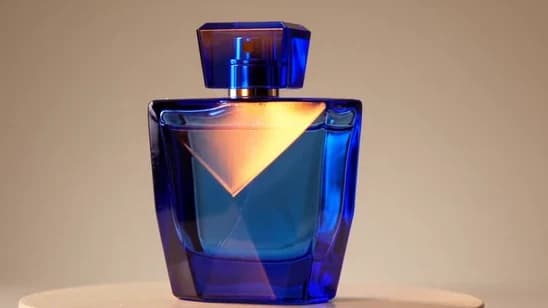
Wan 3.0 Prime creates video with sound from a prompt, an image or multimodal references. Work with clips up to 30 seconds and output up to 1080p, with a separate price table for the Prime model.
 WAN 3.0 PRO03Concept artwork
Wan 3.0 Pro adds 2K and 4K output options alongside 1080p. Start with text, a first frame or multimodal references, then choose the resolution your final video needs.
 WAN 3.0 PRIME PRO04Concept artwork
Wan 3.0 Prime Pro combines the Prime variant with documented 1080p, 2K and 4K output choices. Build a scene from text, animate a still image or guide the video with visual and audio references.
Standard and Prime offer up to 1080p. The Pro models add 2K and 4K output options.
WHAT YOU CAN MAKE
Wan 3.0 supports text-to-video, image-to-video and reference-to-video workflows. Choose a prompt, keyframe or reference media to match the material you already have.
Describe what the viewer should see: a subject, an action and a camera move. Wan 3.0 text to video gives you a way to explore a scene before arranging a shoot or building an animation. Start with one clear moment, such as a cup steaming beside a window, then develop the sequence.
TEXT → VIDEOUse Wan 3.0 image to video when you already have the picture you want to start from. Describe the movement around the product, from a slow camera push to fabric catching the light. Review the result against the original photograph, especially packaging, lettering and small details that need to stay accurate.
IMAGE → VIDEOUse images to describe a character or setting, video to show motion and audio to guide the sound. Wan 3.0 reference to video lets you bring those directions into the same creative brief. Tell the model what each reference contributes, so the intended subject, action and mood are clear.
REFERENCES → VIDEOPLAN YOUR FIRST VIDEO
Start small when evaluating Wan 3.0 for your application. A short scene makes it easier to judge motion, subject consistency and sound before you commit to longer clips or a larger production workflow.
Give Wan 3.0 a single subject and a visible action. A short product shot or character moment is easier to evaluate than a complicated sequence.
Write a prompt, supply a starting image or gather reference media. For Wan 3.0 Prime, check the supported input format before reusing an existing request.
Choose the duration, frame shape and sound your scene needs. Keep those choices consistent when comparing Wan 3.0 with another version of the same brief.
Check the subject, motion and audio against your brief. Inspect text and product details before using the clip, and adjust one creative instruction at a time.
wan3.0-video
// Example scene for Wan 3.0
{
  "prompt": "A quiet coastal town at sunrise. Slow camera push-in, soft light, cinematic.",
  "resolution": "1080p",
  "ratio": "16:9",
  "duration": 5,
  "audio": true,
  "prompt_extend": true
}Native request-body preview. Model selection is separate; the Wan API endpoint and authentication details will be published when access opens.
MODEL GUIDE
Read the Wan 3.0 guide for a closer look at model names, input choices and a first test brief. It explains where a starting image helps, how reference material guides a shot and what to check before integrating the API. The examples focus on creative decisions you can evaluate in the finished video.
Read the Wan 3.0 guideQUESTIONS BEFORE YOU START
Capabilities, model choice and access.
Start with Wan 3.0 or Prime for output up to 1080p. Compare the Pro models when your video needs 2K or 4K. Each model page lists its own specifications, price basis and limits.
Current rates are shown on each model page. Cost depends on resolution and the combined duration of reference video and generated output. All prices are in USD.
Yes. The family supports text-to-video, first/last-frame image inputs and a separate multimodal reference workflow. The model pages explain the inputs and duration limits.
The integration guide covers how to prepare your first video request. Production endpoints and key access details will be published there when service access opens.
WAN API