Seedance 2.5 vs Seedance 2.0: which fits your scene?
Compare Seedance 2.5 and Seedance 2.0 duration, reference limits and sample settings. Plan a fair video test without assuming a quality or speed winner.
The clearest reason to choose Seedance 2.5 over Seedance 2.0 is a scene that needs more time or more reference material. ByteDance lists a maximum single-generation duration of 30 seconds for the newer model, compared with 15 seconds for the earlier one. Both create video with synchronized sound and accept visual and audio references. Those specifications help narrow your choice; they do not establish a winner for every shot. 1 2
The Seedance 2.5 model page and Seedance 2.0 model page collect their specifications and sample videos. Each Playground shows current pricing, an API request preview and generation availability. This guide helps you prepare a comparison, with the limits of the available evidence made explicit.
Compare duration and reference capacity first
| Capability | Seedance 2.5 | Seedance 2.0 |
|---|---|---|
| Maximum single-generation clip | 30 seconds | 15 seconds |
| Reference images | Up to 30 | Up to 9 |
| Reference video clips | Up to 10 | Up to 3 |
| Reference audio clips | Up to 10 | Up to 3 |
| Audio generated with video | Yes | Yes |
| Output resolution | 480p, 720p, 1080p | 480p, 720p, 1080p, 4K |
These are model capabilities, checked against ByteDance's published material on October 14, 2026. Per-type reference limits do not remove the other requirements of an input mode. Check the requirements for combining images, video and audio before preparing the complete reference set. 1 2 3
A ten-second product reveal fits within either generation window. A continuous twenty-second interaction needs the longer window, unless you redesign it as separate shots. Likewise, a scene with twelve distinct image references exceeds the earlier model's image allowance. Use these concrete requirements before comparing less measurable claims about cinematic quality.
Assign a job to every reference
Reference capacity matters only when the material communicates something useful. For a product scene, an image might define the object's shape, a video might show the camera movement, and an audio clip might guide the rhythm. Tell the model which role each asset serves.
More references can also introduce contradictions. A daylight product photograph and a night-time motion example may disagree about lighting. A movement reference may contain a person whose appearance you do not want copied. Write down what should carry over, then remove any asset that has no clear purpose.
For the first comparison, use the smallest reference set that both models support. Test the larger allowance separately if your project actually needs it. Otherwise, you would be changing both the model and the creative instructions at once.
What the two samples can tell you
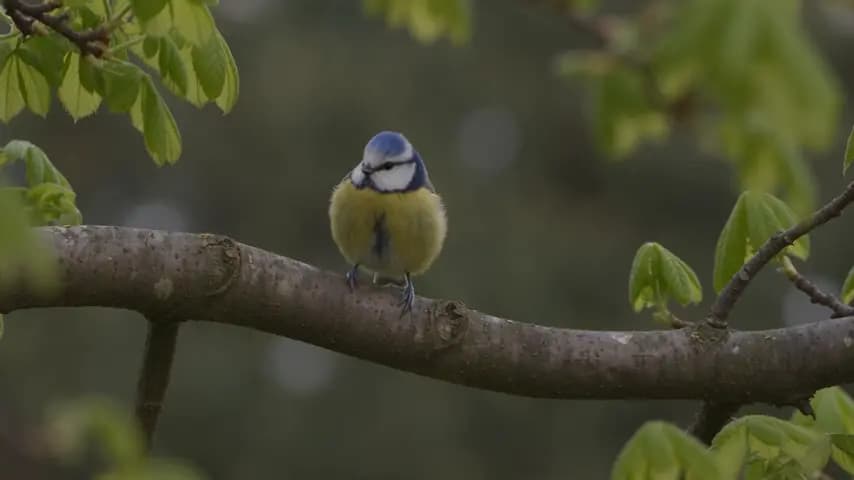
Our Seedance 2.5 page contains a real four-second draft request: a small blue bird turns its head on a branch. The delivered file is 854 × 480 pixels at 24 fps, with audio disabled. It lets you inspect the motion and subject continuity in that particular draft. It cannot demonstrate finished 1080p quality or synchronized speech.
The Seedance 2.0 page uses an existing, attributed model sample of a red paper boat on a pond. That file is 1280 × 720 pixels, approximately five seconds long, and includes audio. Watch the boat's shape, the water and the camera movement across the clip rather than judging a single poster frame.
These are different scenes at different settings, so they are not a controlled quality or latency comparison. The stills on each page are extracted from that page's own video. A sharp poster is not evidence that every frame stays equally sharp.
Separate output size from generation quality
BytePlus documents 4K output for the standard Seedance 2.0 model, subject to version and input-mode restrictions. That capability does not automatically apply to Fast or Mini variants, and the 720p example here does not test it. 3
The Seedance 2.5 page lists output options through 1080p. We have not verified native 4K generation for it. A file's dimensions establish its delivered size; they do not reveal whether an earlier stage used a smaller image. To investigate upscaling, keep the prompt, references, duration and mode fixed, then compare fine detail and motion across actual outputs. Even that comparison cannot prove an undocumented internal rendering process.
Use one brief and record the result
A useful first brief is deliberately small:
A red paper boat drifts across a calm pond at sunrise. Gentle ripples, soft golden light, a slow dolly-in. Keep the boat's shape consistent throughout the shot.
Use the same five-second duration, supported resolution and audio setting for both models. Record whether you used a draft mode. Then review:
- Instruction following: Does the boat drift and does the camera move as requested?
- Continuity: Does the boat retain its shape, colour and position relative to the water?
- Motion and detail: Are ripples and reflections coherent when the clip plays at full size?
- Sound, when enabled: Does the ambience fit the scene without unexpected voices or abrupt changes?
Measure elapsed time from submitting the request to receiving a playable result. Keep the actual charge with the settings, and count rejected outputs when comparing the cost of obtaining a usable shot. One successful request is one observation, not a reliable average or a speed guarantee.
Start with Seedance 2.0 when its documented duration and reference limits fit your brief. Consider Seedance 2.5 when a continuous scene needs more than 15 seconds or your reference set exceeds those limits. For everything else, a matching test is more useful than assuming that the newer version will always be sharper, faster or cheaper.
Sources
- ByteDance: Introducing Seedance 2.5 — duration, reference capacity and audio-video capabilities.
- ByteDance: Seedance 2.0 official launch — multimodal inputs, generation duration and sound.
- BytePlus: Seedance 2.0 — model versions, output options and reference constraints.

Wan API updates
API access and model news
Sign up for email notifications when Wan API access opens and for updates about Wan models.