Direct a scene yourself
Use Seedance 2.5 for a written shot brief or reference-led scene. Set the main action and framing first, then add sound direction only when it helps tell the story.
ByteDance · Video generation
Seedance 2.5 turns text and reference media into video with sound. Plan a scene up to 30 seconds long, then use images, movement and audio references to give it a clearer direction.
Price unavailable
Playground
This sample was generated with Seedance 2.5. Playing it does not spend credits. Your generated video will appear here.
{
  "model": "bytedance/seedance-2.5",
  "prompt": "",
  "resolution": "480p",
  "aspectRatio": "adaptive",
  "duration": 4,
  "fps": 24,
  "n": 1,
  "generateAudio": true,
  "providerOptions": {
    "bytedance": {
      "draft": false
    }
  }
}
A small blue bird perched on a branch gently turns its head. Static camera, natural daylight.
The Seedance 2.5 sample keeps the bird and branch recognizable as the head turns. Feather detail is soft at this draft resolution; inspect the original video before judging a finished delivery.
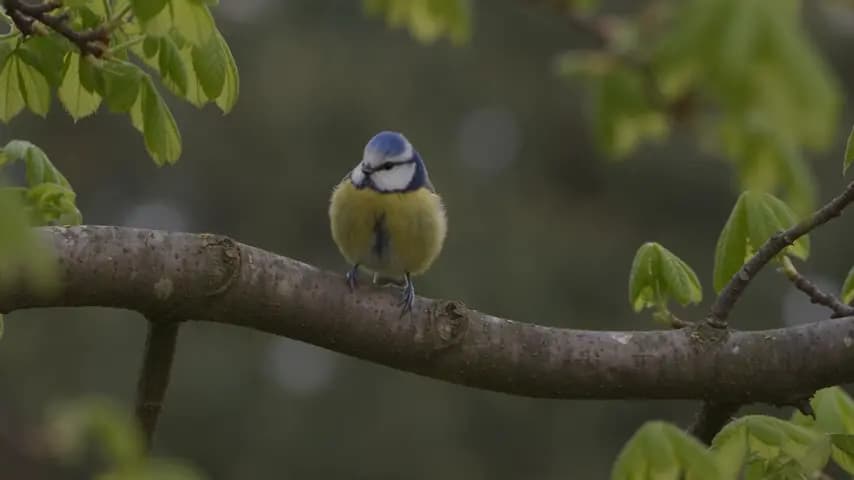
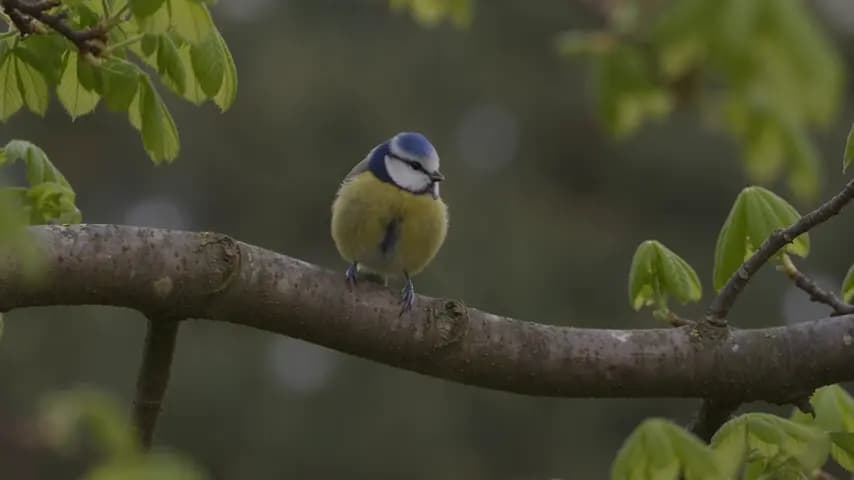
A sample illustrates one result. It does not guarantee the same quality, timing or output on another prompt.
Pricing
Compare Seedance 2.5 prices per second, estimated from current rates for 16:9 video at 24 fps. Reference videos add billable input time. Review the estimate in the Playground before submitting.
| Resolution | Reference video | Official price | Wan API price | You save |
|---|---|---|---|---|
| 480p | No video | $0.1028 | Unavailable | — |
| 480p | With video | $0.0615 | Unavailable | — |
| 720p | No video | $0.2311 | Unavailable | — |
| 720p | With video | $0.1382 | Unavailable | — |
| 1080p | No video | $0.5686 | Unavailable | — |
| 1080p | With video | $0.3402 | Unavailable | — |
Estimates use 16:9 output at 24 fps. Other aspect ratios and actual output dimensions can change the cost.
Without reference video, only output seconds count. With reference video, input and output seconds count; billable input time is at least two-thirds of the output duration, rounded up to a whole second.
Official comparison: BytePlus international on-demand pricing. Checked 2026-10-15. Wan API prices refresh automatically.
Input and output video tokens determine the final cost. Failed requests are not charged.
Seedance 2.5 input and output video tokens use the applicable rate. A higher resolution or longer clip can increase usage. Audio has no separate price tier. Draft uses the same 480p token rate as normal generation.
Readme
Seedance 2.5 is ByteDance’s audio-video generation model for longer scenes and reference-guided work. It accepts written direction alongside visual and audio material, with up to 30 seconds in a single generation.
The larger reference allowance gives Seedance 2.5 more room for distinct characters, locations and motion examples. Assign a purpose to each asset: which image defines appearance, which clip describes movement, and which recording guides the sound.
Seedance 2.5 reference limits: up to 30 images, 10 video clips and 10 audio clips. These are model-level limits, not a promise that every combination will produce a usable edit.
Model capabilities and service availability are listed separately. Output options may depend on the selected model version and input mode.
Use Seedance 2.5 for a written shot brief or reference-led scene. Set the main action and framing first, then add sound direction only when it helps tell the story.
For a Seedance 2.5 integration, separate scene instructions from output settings. Use the integration guide for request examples, task queries and downloads.
Seedance 2.5 allows a scene to develop for up to 30 seconds. Give the opening, action and ending enough time instead of packing every event into the first few moments.
Seedance 2.5 can draw on a larger set of images, videos and audio clips. Choose assets that agree about the subject, lighting and desired motion before adding more.
Seedance 2.5 generates audio and video together. Describe dialogue, environmental sound or music deliberately, then listen for timing and intelligibility rather than assuming the first result is finished.
ByteDance documents editing and extension capabilities for Seedance 2.5. Keep the intended change specific and review surrounding frames; these features are not yet exposed through Wan API.
Give Seedance 2.5 a beginning, a visible action and a final beat. A small cast and a consistent location make it easier to judge whether the story remains clear.
Test a reveal, a camera move or an object interaction with Seedance 2.5. Check labels, shapes and materials against the real product before treating the result as advertising footage.
Use Seedance 2.5 to explore how framing and movement might feel. Treat the output as a creative study, with an explicit review of composition, continuity and timing.
For Seedance 2.5, name the subject, the action, the camera and the ending. Keep spoken dialogue distinct from visual instructions so each part can be reviewed.
Select only media that serves the brief. Explain what to preserve from each reference, and remove conflicting images or unrelated motion examples before you generate.
Use a short Seedance 2.5 test to check direction before committing to a longer scene. A low-resolution draft can reveal composition problems without proving final-image quality.
Watch for subject drift, unexpected cuts and audio problems. Keep the accepted brief and change one instruction at a time when preparing another version.
API
The Seedance 2.5 request accepts text, first-frame images or image and video references, plus optional reference audio. Use a key enabled for this model, submit once and check the returned task ID until the video is ready. The integration guide documents the same parameters as the Playground.
View official specificationsSeedance 2.5 offers a longer single-generation window and more reference capacity. Compare those concrete differences with your brief; a version number alone does not establish better quality for every shot.
| Capability | Seedance 2.5 | Seedance 2.0 |
|---|---|---|
| Maximum single clip | 30 seconds | 15 seconds |
| Reference images | 30 | 9 |
| Reference videos | 10 | 3 |
| Reference audio clips | 10 | 3 |
| Generation on Wan API | See Playground | See Playground |
Inspect the Seedance 2.5 video at its original dimensions. The generation settings sit beside it, so the small preview is not mistaken for a full-resolution benchmark.
Model features, sample settings and Wan API availability are distinguished throughout this page. Published specifications should help you decide what to test, not substitute for that test.
Evaluate subject identity, camera motion and sound on the same scene. Record the settings and reject an attractive result when it changes the details your project needs.
Give a short scene a clear direction
Explore modelCompare the documented duration and reference limits, then use a short review plan to choose between the two models without assuming a universal quality winner.
Read the guideA single Seedance 2.5 generation can be up to 30 seconds. ByteDance also describes extension, a separate capability not available on Wan API yet. Decide whether another shot or a continuation would serve the story.
Yes. The Seedance 2.5 limits are 10 video clips, 30 images and 10 audio clips. Give each asset a clear role: a movement reference and an appearance reference should not give conflicting instructions.
Yes, Seedance 2.5 audio and video are generated together. The silent bird sample on this page deliberately used audio disabled, so it does not demonstrate voice or music quality. For a spoken scene, review every line and its timing against the image before approving the result.
This page lists Seedance 2.5 output options through 1080p. We do not claim native 4K, and the 480p sample cannot establish the model’s internal rendering process. Check the exact generation setting and the delivered file separately from any later resizing or enhancement.
Seedance 2.5 provides a longer single clip and a larger reference allowance. Those differences matter when a scene needs more time or more supporting material. They do not prove that every short shot will be sharper, faster or more consistent; compare a matching brief and inspect the result.
The Seedance 2.5 Playground provides the current generation status, price and balance checks. Sign in, prepare a request and use Generate video when available. If generation is temporarily unavailable, you can still review the parameters and copy the request. Playing the sample does not spend credits.
Use the comparison guide to decide whether your scene needs 30 seconds or a larger reference set. Keep the first brief focused enough to review.
Specifications checked: · Official model page · Release announcement