Start with a scene brief
Describe one readable action for Seedance 2.0, then decide whether a reference would remove ambiguity. A clear opening frame is often more useful than a long list of adjectives.
ByteDance · Video generation
Seedance 2.0 combines text, images, video and audio references to create short scenes with sound. Build a shot around one idea, keep its visual direction clear, and review the result from start to finish.
Price unavailable
Playground
This sample was generated with Seedance 2.0. Playing it does not spend credits. Your generated video will appear here.
{
  "model": "bytedance/seedance-2.0",
  "prompt": "",
  "resolution": "480p",
  "aspectRatio": "adaptive",
  "duration": 4,
  "fps": 24,
  "n": 1,
  "generateAudio": true,
  "providerOptions": {
    "bytedance": {}
  }
}
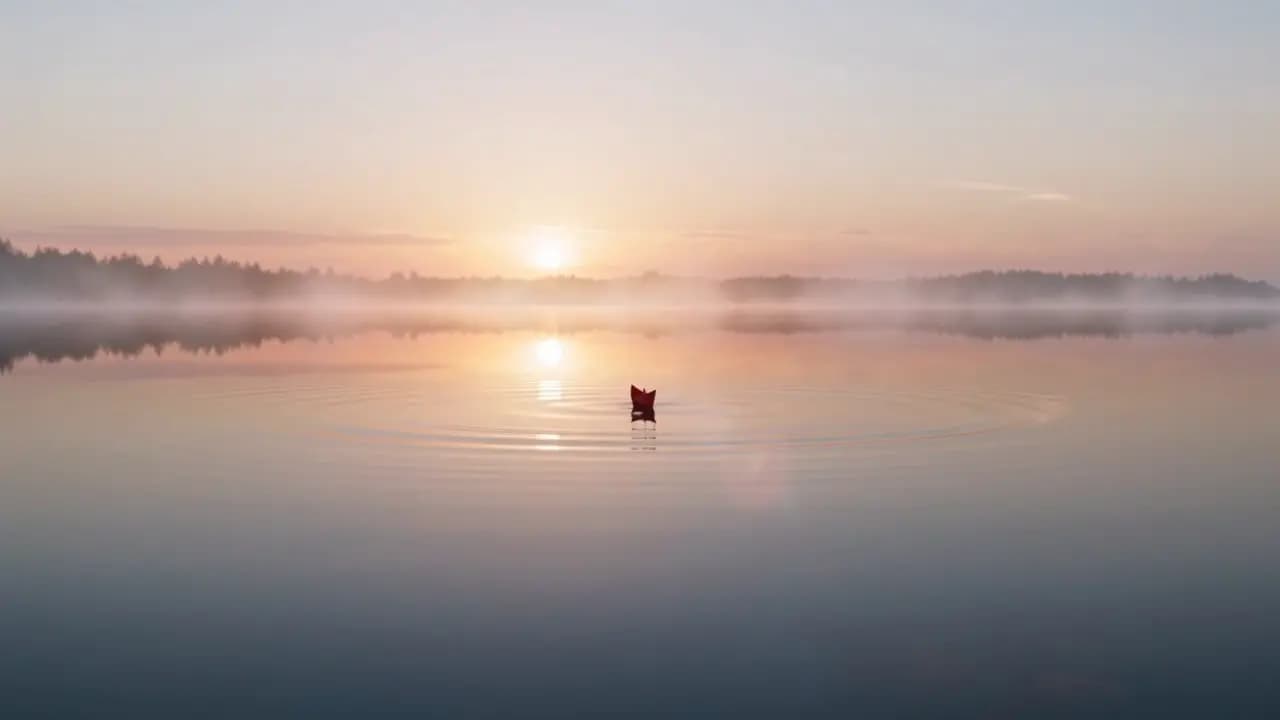
A red paper boat drifts across a calm pond at sunrise, gentle ripples, soft golden light, slow dolly-in shot.
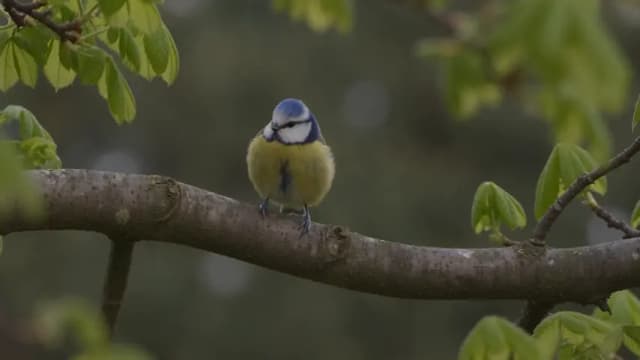
This Seedance 2.0 example uses a small subject against a wide landscape. Inspect the boat shape, water movement and camera continuity at full size; it is not a side-by-side benchmark against the bird sample.

A sample illustrates one result. It does not guarantee the same quality, timing or output on another prompt.
Pricing
Compare Seedance 2.0 prices per second, estimated from current rates for 16:9 video at 24 fps. Reference videos add billable input time. Review the estimate in the Playground before submitting.
| Resolution | Reference video | Official price | Wan API price | You save |
|---|---|---|---|---|
| 480p | No video | $0.0703 | Unavailable | — |
| 480p | With video | $0.0432 | Unavailable | — |
| 720p | No video | $0.1512 | Unavailable | — |
| 720p | With video | $0.0929 | Unavailable | — |
| 1080p | No video | $0.3742 | Unavailable | — |
| 1080p | With video | $0.2284 | Unavailable | — |
| 4K | No video | $0.7776 | Unavailable | — |
| 4K | With video | $0.4666 | Unavailable | — |
Estimates use 16:9 output at 24 fps. Other aspect ratios and actual output dimensions can change the cost.
Without reference video, only output seconds count. With reference video, input and output seconds count; billable input time is at least two-thirds of the output duration, rounded up to a whole second.
Official comparison: BytePlus international on-demand pricing. Checked 2026-10-15. Wan API prices refresh automatically.
Input and output video tokens determine the final cost. Failed requests are not charged.
Seedance 2.0 input and output video tokens use the applicable rate. A higher resolution or longer clip can increase usage. Audio has no separate price tier. Standard, Fast and Mini are separate models; these rates apply to the standard model.
Readme
Seedance 2.0 is ByteDance’s multimodal video model for generating pictures and sound together. It supports text, image, video and audio inputs, with single-generation clips up to 15 seconds.
The reference system makes Seedance 2.0 useful when a written prompt alone leaves too much room for interpretation. An image can establish a subject, a clip can show a movement, and sound can help describe the intended performance.
Seedance 2.0 accepts up to 9 reference images, 3 video clips and 3 audio clips. Check the input-mode requirements when combining different types of material.
Model capabilities and service availability are listed separately. Output options may depend on the selected model version and input mode.
Describe one readable action for Seedance 2.0, then decide whether a reference would remove ambiguity. A clear opening frame is often more useful than a long list of adjectives.
Keep the creative brief separate from output settings when planning a Seedance 2.0 application. Use the integration guide for request examples, task queries and downloads.
Seedance 2.0 produces audio and video together. Give speech, ambience and movement their own directions, then check that the soundtrack supports what is happening on screen.
Show Seedance 2.0 the subject or scene you have in mind. State which details should stay recognizable and which parts of the image are only background inspiration.
A reference clip can help communicate an action or camera move to Seedance 2.0. Keep the intended movement distinct from the identity and styling of the source subject.
ByteDance documents editing and extension for Seedance 2.0. These model capabilities can support revisions, but they are not exposed through Wan API.
Ask Seedance 2.0 for one movement that reveals a product’s shape or texture. Compare the result with the source product before approving labels, geometry or material appearance.
Keep a Seedance 2.0 performance readable: one reaction, a brief exchange or a simple interaction. Review faces, hands and speaker timing when those details carry the scene.
Use Seedance 2.0 to explore a slow push-in, a change of framing or a landscape reveal. Choose the output for its composition and motion, not just one attractive still.
Write a Seedance 2.0 brief with a subject, an action and a clear endpoint. Limit competing events so you can identify whether the model followed the central instruction.
Choose references for appearance, movement or sound. State which role each asset serves, and remove material that contradicts the intended scene, lighting or identity.
A short Seedance 2.0 scene is easier to review than a crowded sequence. Select duration and output format deliberately, then use the result to assess the brief.
Watch for changes to the subject, unintended cuts and mismatched audio. Revise the specific problem while preserving the instructions and references that already worked.
API
The Seedance 2.0 request accepts text, first-frame images or image and video references, plus optional reference audio. Use a key enabled for this model, submit once and check the returned task ID until the video is ready. The integration guide documents the same parameters as the Playground.
View official specificationsSeedance 2.0 offers a 15-second single-generation window. Seedance 2.5 extends that to 30 seconds and expands the reference allowance; use those differences to decide whether your scene needs the later model.
| Capability | Seedance 2.5 | Seedance 2.0 |
|---|---|---|
| Maximum single clip | 30 seconds | 15 seconds |
| Reference images | 30 | 9 |
| Reference videos | 10 | 3 |
| Reference audio clips | 10 | 3 |
| Generation on Wan API | See Playground | See Playground |
The Seedance 2.0 sample is labelled with its actual model and output size. An example from another model would not tell you whether this one fits your scene.
Published model capabilities and Wan API availability are shown separately, so you can plan around the features currently offered.
Decide which errors would make the shot unusable. A pleasing atmosphere cannot compensate for a changed product or a missing action.
More room for your story
Explore modelSee the practical difference between the 15-second and 30-second generation windows, compare reference limits, and plan a fair review using the same scene brief.
Read the guideSeedance 2.0 generates short videos with synchronized sound from text and references. Start with a product reveal, a character reaction or a camera move, then judge whether the action and sound match your intention.
A single Seedance 2.0 generation can be up to 15 seconds. Longer projects can use multiple shots; extension is a distinct capability. Decide whether you need one continuous scene or an edited sequence.
Yes. The Seedance 2.0 limits include up to 9 images, 3 video clips and 3 audio clips. Give each asset a clear role and check the input-mode requirements before preparing a reference-heavy scene.
BytePlus documents 4K for standard Seedance 2.0, with version and input-mode restrictions. Not every service or variant offers it. The sample here is 720p and does not demonstrate 4K quality.
No. Fast and Mini have their own capabilities and pricing. This page describes standard Seedance 2.0. Check the exact name and supported settings before reusing a request or comparing samples.
Consider the later model when one scene needs more than 15 seconds or a larger set of reference assets. For shorter work, compare a matching brief at matching settings. This page does not claim one version always produces better pictures, lower cost or faster completion.
The Seedance 2.0 Playground provides the current generation status, price and balance checks. Sign in, prepare a request and use Generate video when available. If generation is temporarily unavailable, you can still review the parameters and copy the request. Playing the sample does not spend credits.
Start with one scene you can evaluate. Read the comparison to decide whether the short generation window and reference allowance match the work you have in mind.
Specifications checked: · Official model page · Release announcement