Start from words
Describe the subject, composition, lighting and any words that should appear in the image. Put headline text in quotes.
ByteDance · Image generation
Seedream 5.0 Pro creates one image from a prompt, edits or combines up to 10 reference images, and splits a single image into a base image and up to 16 transparent layers.
From $0.0315 per image
Playground
Describe the image and choose a size. To edit, add reference images and say what to change and what to keep; to separate a design, switch to layer decomposition and upload one image.
No image yet. Generation usually takes under a minute; keep this page open until it finishes.
Try one of these prompts
Three images generated with Seedream 5.0 Pro on Wan API on October 23, 2026, each at a 2K size with the watermark off. Each prompt is shown exactly as sent.
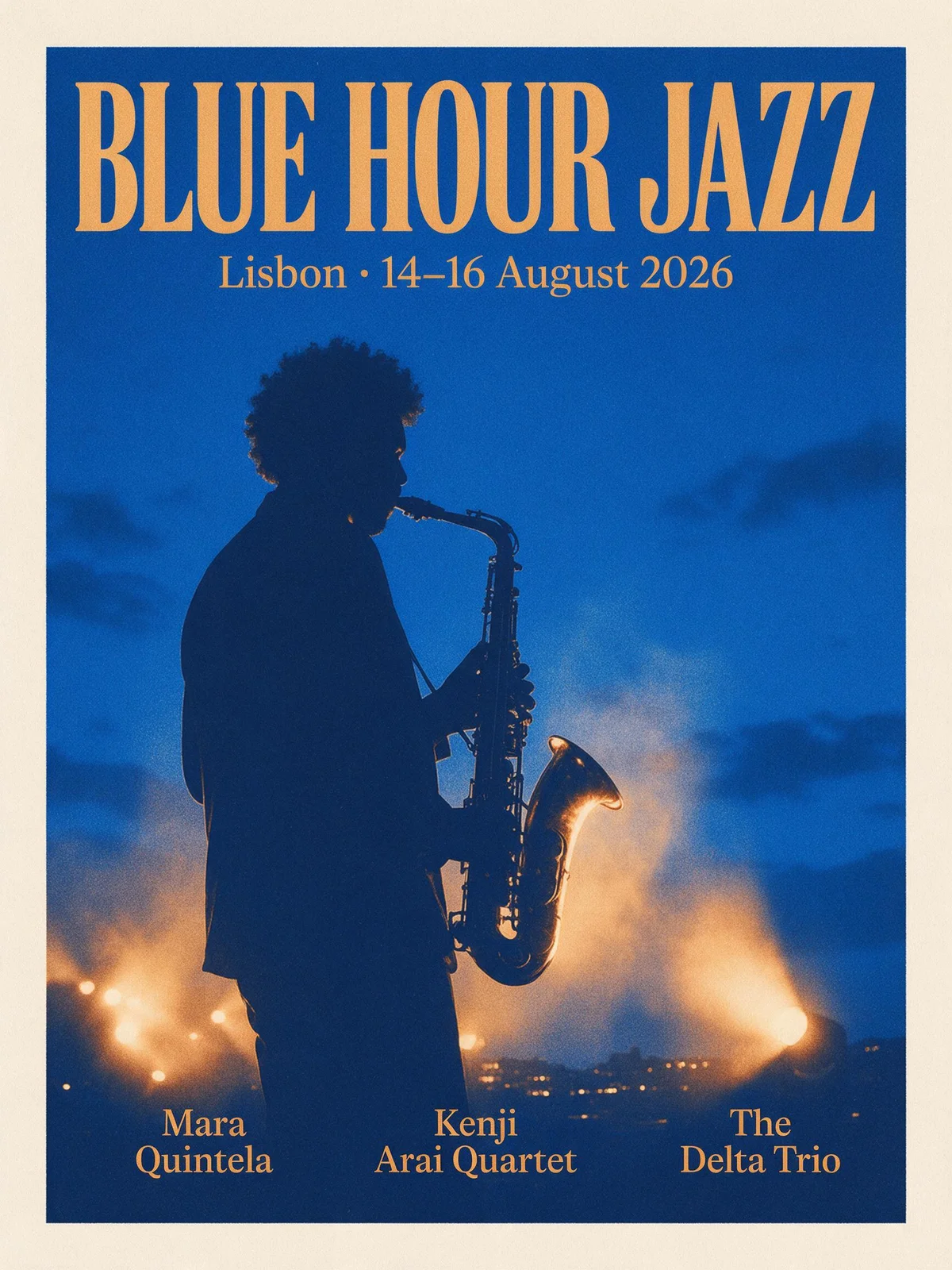
The headline, the date line and all three performer names came out spelled exactly as written, in a clear typographic hierarchy.
An editorial poster for a jazz festival, portrait 3:4. A brass saxophone player silhouetted against a deep cobalt night sky, warm amber stage lights spilling from below, smoke drifting through the beams. Bold condensed serif headline "BLUE HOUR JAZZ" across the top, a smaller line "Lisbon · 14–16 August 2026" beneath it, and three performer names in a clean grid at the bottom: "Mara Quintela", "Kenji Arai Quartet", "The Delta Trio". Risograph print texture, generous margins, strong contrast.
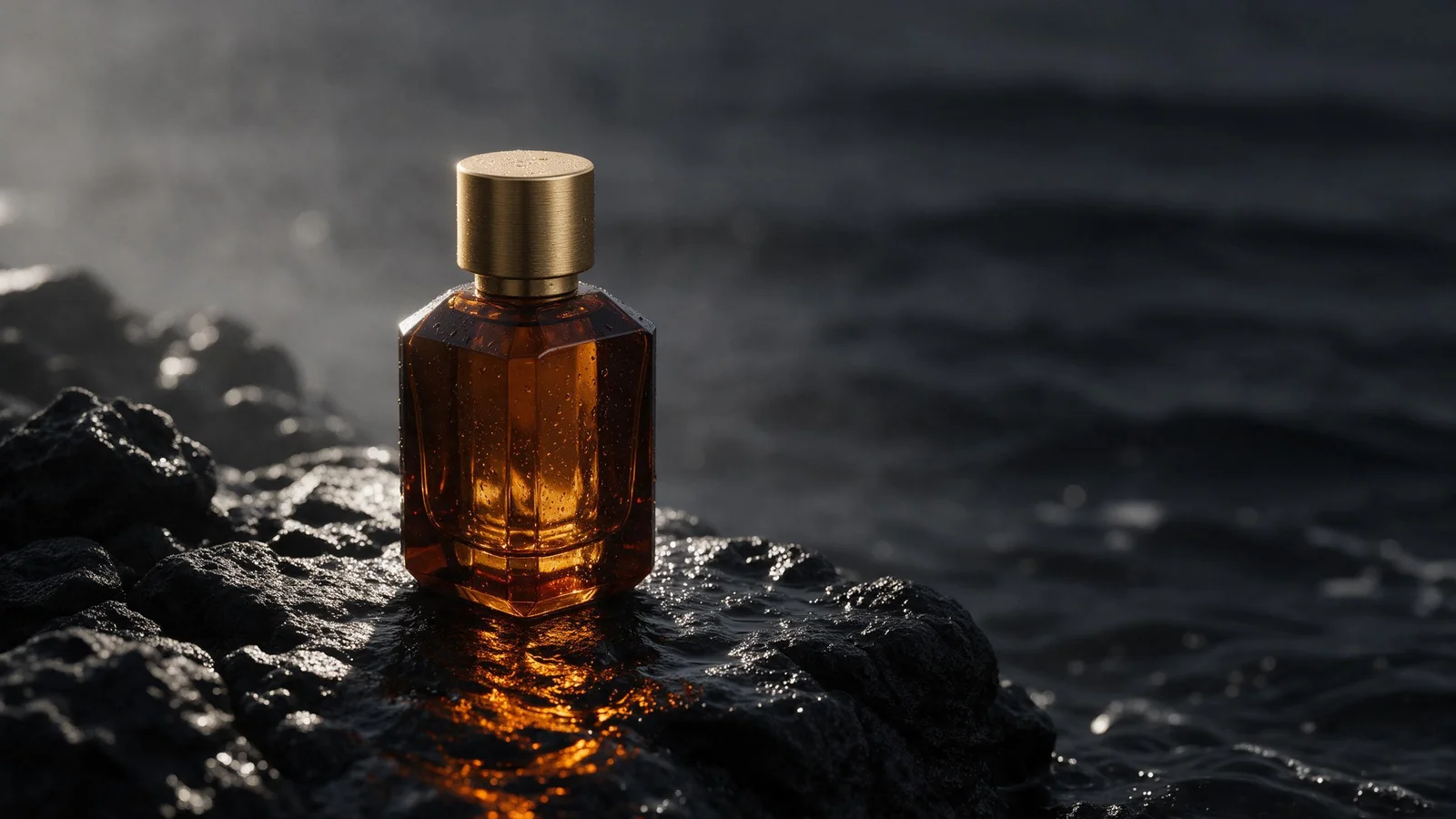
Hard side light, an amber caustic on wet stone and room on the right for copy, following each part of the brief.
Luxury campaign photograph of a faceted amber glass perfume bottle with a brushed gold cap, standing on wet black volcanic rock at the edge of the sea. A single shaft of hard morning light from the left catches the facets and throws a warm amber caustic onto the stone. Fine water droplets on the glass, ocean mist softening the dark background, shallow depth of field, deep charcoal and gold palette, 16:9 hero image with empty space on the right for copy.
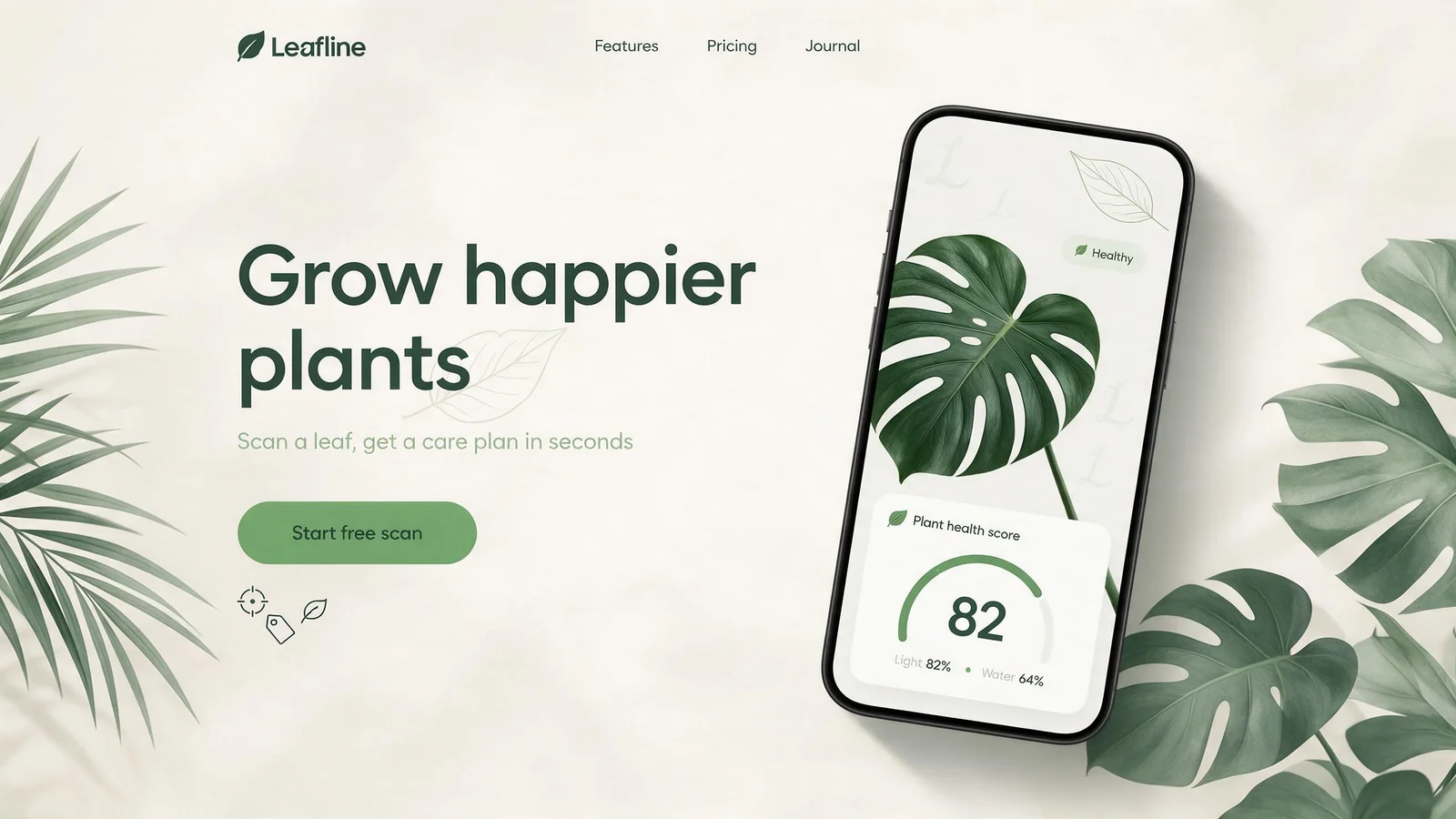
Navigation, headline, button and phone mockup follow the requested layout and text. Small stray marks remain inside the phone screen background.
A 16:9 landing page design for a plant-care app called "Leafline". Top navigation bar with the Leafline logo and links "Features", "Pricing", "Journal". On the left, a large headline "Grow happier plants", a one-line subline "Scan a leaf, get a care plan in seconds", and a rounded green button labelled "Start free scan". On the right, a phone mockup showing a monstera leaf with a health score card reading "Light 82% · Water 64%". Soft sage, cream and deep forest green palette, clean sans-serif typography, subtle shadows, generous whitespace.
Pricing
Seedream 5.0 Pro is billed per output image at 30% below the official rate. Outputs up to 2.61 million pixels (1K and 1.5K) use the lower rate, larger outputs the higher rate. The first reference image is free; each additional reference adds a small charge.
$0.0315 per image
1.5K costs the same as 1K. Review the composition before choosing 2K.
| Billed item | Official price | Wan API price |
|---|---|---|
| Image up to 2.61 MP (1K, 1.5K) | $0.045 | $0.0315 |
| Image above 2.61 MP (2K) | $0.09 | $0.063 |
| Layer decomposition, every returned image up to 2.61 MP | $0.0225 | $0.01575 |
| Layer result with a larger image: each image up to 2.61 MP | $0.0225 | $0.0225 |
| Layer result with a larger image: each image above 2.61 MP | $0.045 | $0.045 |
| Each reference image after the first | $0.003 | $0.0021 |
Wan API sells Seedream 5.0 Pro images, extra references and 1K or 1.5K layer decomposition at 30% below the official per-image price. A layer result that includes an image above 2.61 MP is charged at the official rate.
Layer decomposition charges the base image and each returned layer. When every returned image is up to 2.61 MP, each costs the discounted layer rate; when any image is larger, every image is charged at the official layer rate for its own size. The estimate covers the maximum of 17 images.
Official prices: BytePlus ModelArk. Checked 2026-10-23.
Layer decomposition charges the base image and each returned layer. When every returned image is up to 2.61 MP, as is usual at 1K and 1.5K, each costs 30% below the official layer rate; a result that includes a larger image, as 2K always does, is charged at the official layer rate. Requests rejected before an image is generated are not charged.
Readme
Seedream 5.0 Pro is ByteDance's image generation model for single-image output. It accepts a prompt alone, one reference image for editing, or 2 to 10 reference images that are combined into one new image. Prompts work in English and Chinese, and also in Japanese, Korean, French, German, Spanish and other languages.
Layer decomposition takes one PNG or JPEG image and returns a base image plus up to 16 layers. Each layer is a PNG with an alpha channel, with its stacking order, bounding box, name and description. Transparent background mode turns one image that already has an alpha channel into a new transparent PNG.
bytedance/seedream-5.0-proUse this ID in the model field. Each request returns one image, or one base image plus its layers in layer decomposition mode.
Send the Playground JSON to POST /v1/images/generations with your Wan API key. The response returns the image URLs directly in the OpenAI Images format. The API guide has request and response examples.
Share the Seedream 5.0 Pro OpenAPI document with your coding agent. Ask it to validate sizes and reference counts and to send each request once.
Describe the subject, composition, lighting and any words that should appear in the image. Put headline text in quotes.
Send one image with a focused instruction: change a background, material or color while naming the details to keep.
Seedream 5.0 Pro accepts up to 10 references. Say what each image contributes: subject, product, setting or style.
Turn one image into a base image and up to 16 transparent PNG layers. Name the elements to separate, or leave the prompt empty to separate the main elements automatically.
With one input image that has an alpha channel, background transparent returns a PNG with a real transparent background.
Standard prompt optimization favors quality. Fast mode shortens generation time with slightly lower quality.
Put the exact headline in quotes for covers, posters and social graphics that need readable text. Check spelling before publishing.
Combine a product photo with scene or style references to produce consistent campaign images. Compare labels and shapes with the real product.
Split a finished image into layers so text, subjects and background can be moved or replaced in a design tool.
Describe the subject, layout, lighting and any text, or choose layer decomposition and upload one image.
Upload or paste up to 10 image URLs. Layer decomposition and transparent output use exactly one image.
1K and 1.5K use the lower rate; 2K and larger exact sizes the higher rate. Check the estimate before generating.
Inspect the image at full size, download it, or send the same JSON from your backend.
| Workflow | When to use |
|---|---|
| Text to image | Use no references when you are exploring a new scene and do not need to keep an existing subject. |
| Single image edit | Send one reference when the starting picture matters. State the change and the details to keep. |
| Multiple references | Send 2 to 10 images when the result needs distinct ingredients, and give each one a clear role. |
| Layer decomposition | Send exactly one PNG or JPEG image when you need separate, editable layers rather than a new picture. |
| Transparent background | Send exactly one image with an alpha channel when the result must keep a transparent background. |
Each request returns one image. Send separate requests for variations; layer decomposition returns one base image plus its layers.
Choose 1K, 1.5K or 2K, or an exact size of 921,600 to 4,624,220 pixels with an aspect ratio between 1:16 and 16:1.
Layer decomposition outputs at most 16 layers. If any layer fails, the whole request fails.
Group generation, web search and streaming are not supported by Seedream 5.0 Pro.
The Playground estimate uses the live per-image rate for your size and reference count before you generate.
Requests rejected before an image is generated are not charged, and layer decomposition charges only the images returned.
Seedream 5.0 Pro uses the same Wan API balance as the Wan and Seedance video models.
Seedream 5.0 Pro is the image model on Wan API. Compare it with the Wan and Seedance video models in the catalog.
Browse all modelsPractical guides for working with Seedream 5.0 Pro.
Choose 1K, 1.5K or 2K, or an exact width x height between 921,600 and 4,624,220 pixels with an aspect ratio from 1:16 to 16:1. Layer decomposition uses 1K, 1.5K, 2K or auto, which follows the input image.
ByteDance announced Seedream 5.0 Pro on July 8, 2026. On Wan API it is available as bytedance/seedream-5.0-pro through the OpenAI Images API.
Each output image up to 2.61 million pixels costs the lower rate and larger images the higher rate, as shown in the pricing table. The first reference image is free and each additional one adds a small charge. Layer decomposition bills the base image and every returned layer: at the discounted layer rate when every image is up to 2.61 million pixels, and at the official layer rate when the result includes a larger image.
Up to 10 reference images per request. Layer decomposition and transparent background mode each take exactly one image.
A base image plus up to 16 layers. Every layer is a transparent PNG with its z-index, bounding box, name and description, so it can be rebuilt in a design tool.
Yes, from one input image that already has an alpha channel. Set background to transparent and keep PNG output; JPEG output cannot be combined with it.
The official default adds a small AI-generated watermark. Set watermark to false to turn it off.
Generate an image in the Playground, then send the same JSON from your backend.
Specifications checked: · Official API reference · Official pricing