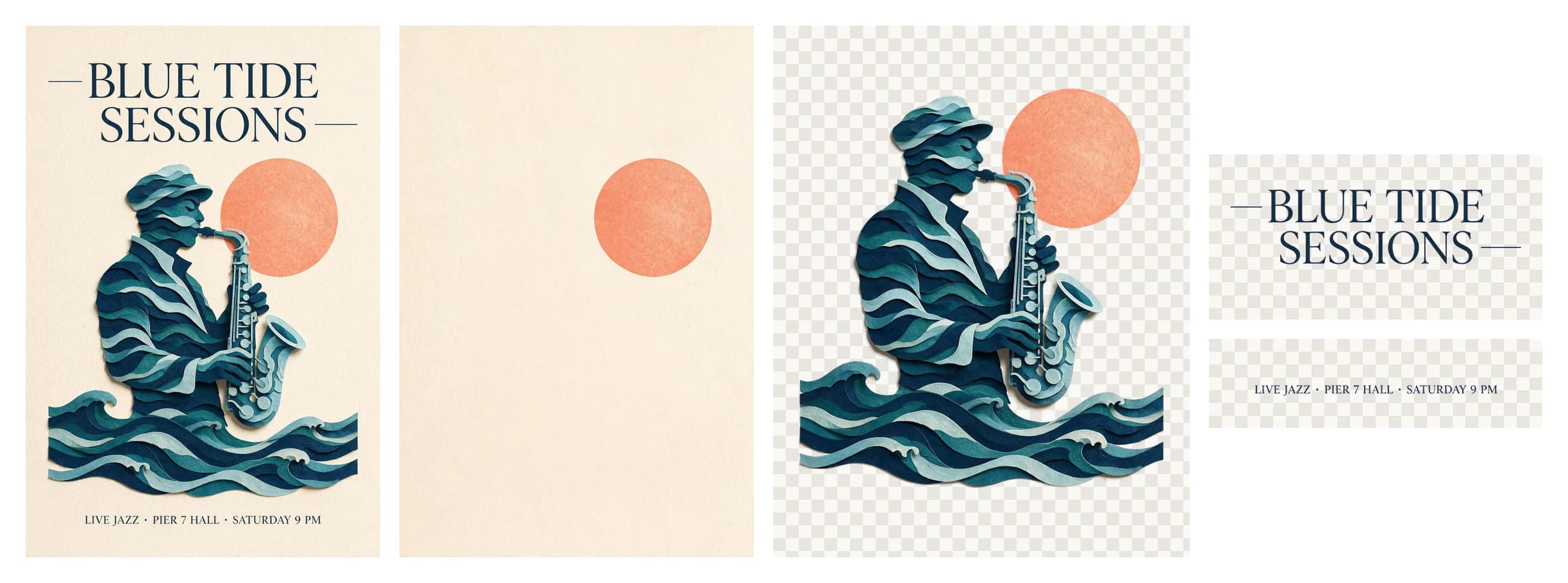
Seedream 5.5 API tutorial: generate, edit and split images
Call Seedream 5.5 once, poll its task, edit with references, create transparent PNGs and split images into layers. Check output sizes and live image prices.
Seedream 5.5 returns a task ID before it returns an image. Submit the request once, save that ID, and poll for the finished result. Generation produces one image; layer decomposition can produce a base image and transparent layers. Both workflows use model: "seedream-5-5", but their input rules differ. 1
This tutorial takes a ceramic teapot brief through generation and a targeted edit, then shows how to separate an existing poster into layers. The Seedream 5.5 Playground exposes the same request controls. You can inspect the JSON there before adding it to an application.
The contract was checked on November 12, 2026. Our integration checks replayed 34 request and response cases, including incompatible transparency settings, layer limits and completed outputs without usable dimensions. Those checks validate request handling and accounting inputs; they are not a generation-speed or image-quality benchmark. The images below are existing Seedream 5.5 samples from November 10.
Start with a key and one small request
Create a key in API Keys, keep it on your server, and use https://api.wanapi.app as the base URL. Your existing Wan API key works across available models and groups. There is no separate key to buy or select for this image model.
Save this as generate.json:
{
  "model": "seedream-5-5",
  "prompt": "A ceramic teapot shaped like a sleeping fox on a linen tablecloth, soft morning window light, shallow depth of field. No text.",
  "size": "1K",
  "output_format": "png",
  "content_filter": true
}
Set WAN_API_KEY in your server environment, then submit once:
curl --fail-with-body --retry 0 --max-time 90 \
  https://api.wanapi.app/seedream55/v1/images/generations \
  -H "Authorization: Bearer $WAN_API_KEY" \
  -H "Content-Type: application/json" \
  --data-binary @generate.json \
  -o submitted.json
A successful response contains id, model and a processing status. Keep the entire submitted.json file. Do not interpret a missing image URL as a failed generation: this response acknowledges the task. If the connection breaks before you receive an ID, inspect Task logs before trying another POST. An uncertain response is not permission to create the same paid task again.
We selected 1K explicitly for this first request. Omit size and generation defaults to 2K. PNG is the default format, watermark is off, and content review is on. Public API callers can explicitly change content_filter; the Playground keeps review enabled for ordinary accounts. 1
Poll the saved ID, including after a refresh
The polling URL is GET /seedream55/v1/tasks/{id}. A completed response stores images in output.data; it does not use the synchronous Images API response shape. Each entry has a URL and its actual pixel size.
This Python script reads the saved response and polls for up to ten minutes. It only sends GET requests, so rerunning it continues the existing task:
import json
import os
import time
import urllib.error
import urllib.request
from pathlib import Path

saved = json.loads(Path("submitted.json").read_text())
task_id = saved["id"]
url = f"https://api.wanapi.app/seedream55/v1/tasks/{task_id}"
deadline = time.monotonic() + 600

while time.monotonic() < deadline:
    request = urllib.request.Request(
        url,
        headers={"Authorization": f"Bearer {os.environ['WAN_API_KEY']}"},
    )
    try:
        with urllib.request.urlopen(request, timeout=30) as response:
            task = json.load(response)
    except urllib.error.HTTPError as error:
        if error.code != 429 and error.code < 500:
            raise
        time.sleep(5)
        continue
    except (urllib.error.URLError, TimeoutError):
        time.sleep(5)
        continue

    if task["id"] != task_id:
        raise RuntimeError("Unexpected task identity")
    if task["status"] == "failed":
        raise RuntimeError(task.get("error", {}).get("message", "Task failed"))
    if task["status"] == "completed":
        Path("result.json").write_text(json.dumps(task, indent=2))
        for index, image in enumerate(task["output"]["data"], start=1):
            print(index, image["size"], image["url"])
        break
    time.sleep(5)
else:
    print("Still waiting. Keep submitted.json and resume this GET later.")
The ten-minute limit belongs to this example client. It does not cancel a task or prove that generation failed. We have not established a measured latency range for this integration, so build a pending state rather than promising a fixed number of seconds. Save the downloaded files when ready; do not treat result URLs as permanent asset storage.
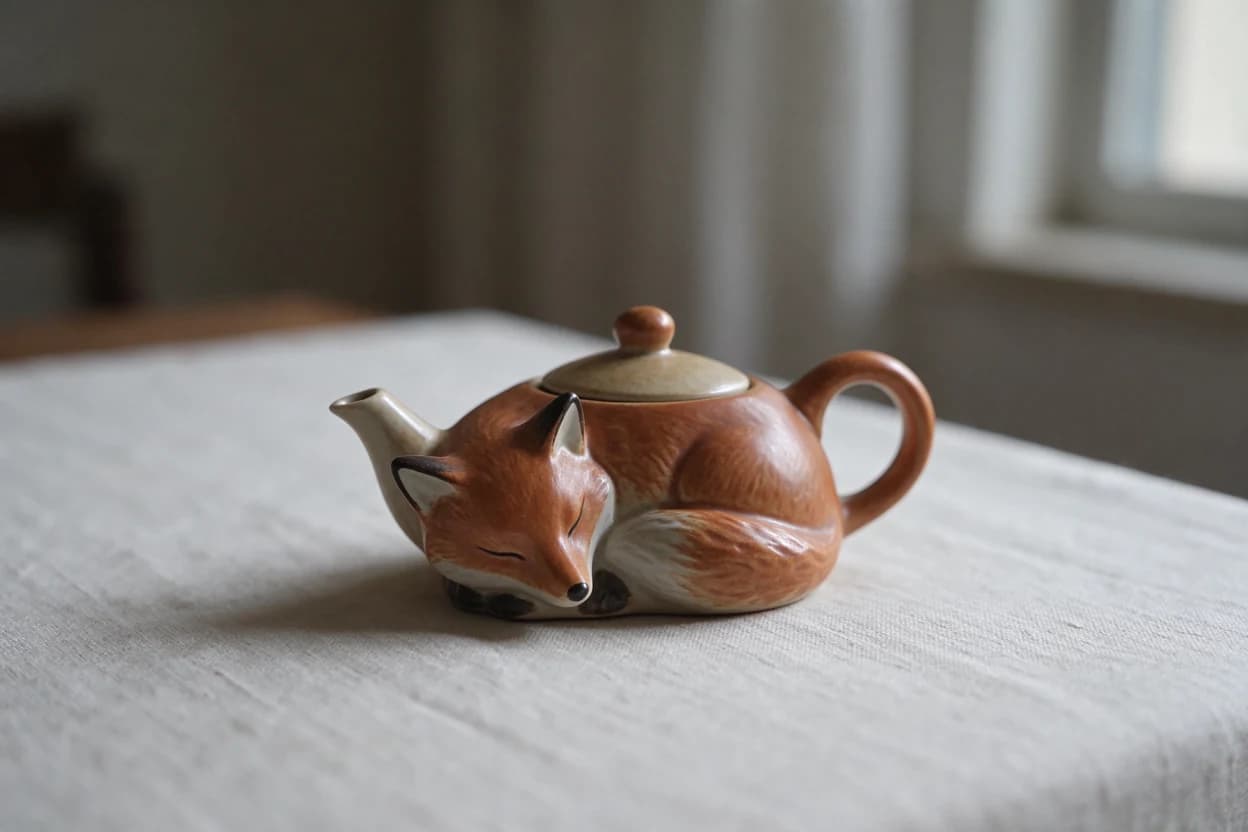
This sample is 1248 × 832 pixels. A 1K preset is a resolution tier, not a promise that both dimensions equal 1024. Read size from the result when your layout or cost calculation needs exact dimensions.
Change the scene while naming what must stay
For an edit, add image with a public HTTP(S) URL. That may be a source photo you host or a generated file you downloaded and hosted yourself. References cannot be file uploads, Base64 or data URIs. They must remain accessible while the request is processed. The supported input formats and media limits are listed in the API reference. 1
{
  "model": "seedream-5-5",
  "image": "https://your-public-host.example/fox-teapot.png",
  "prompt": "Keep the fox teapot, its curled tail, ceramic texture and camera angle. Replace the linen tablecloth with dark walnut wood. Keep the soft light coming from the left. No text.",
  "size": "1K"
}
The URL above is a placeholder; replace it with your accessible image. Submit it as a separate, intentional edit task and save its response under a new filename. The model does not remember the previous task: you must send the image you want edited.
For multiple references, image accepts an array of up to ten URLs. Give each image a role in the prompt, such as the product from image one and the setting from image two. Start with the smallest useful set. If the result changes an important detail, fewer references make it easier to identify which instruction or source introduced the change.
Preservation is an instruction, not a pixel lock. Check the product silhouette, labels and camera angle against the original after every edit. For posters, quote the exact headline and check punctuation, names and dates at the intended display size. Small or stylized lettering can still need manual correction; this guide does not promise a measured accuracy rate for any language.
For a cutout, add "background": "transparent" and keep "output_format": "png". JPEG cannot carry that alpha channel. The transparency option is available for generation and editing; layer mode has its own rules below.
Separate a poster into reusable layers
Layer decomposition takes exactly one image. A prompt is optional: leave it out to let the model choose the elements, or name the parts you want separated. Begin with a small output cap while evaluating a design:
{
  "model": "seedream-5-5",
  "image": "https://your-public-host.example/poster.png",
  "size": "1K",
  "layer_decomposition": true,
  "layer_decomposition_options": {
    "max_images": 4,
    "text_recognition": true
  },
  "output_format": "png"
}
max_images counts the base image too. Four therefore permits the base plus up to three layers. The allowed cap is 2–100, with a default of 30, and the model may return fewer images. Do not send background in this mode, even as auto. Separated layers are already transparent PNGs; output_format controls the base image. 1
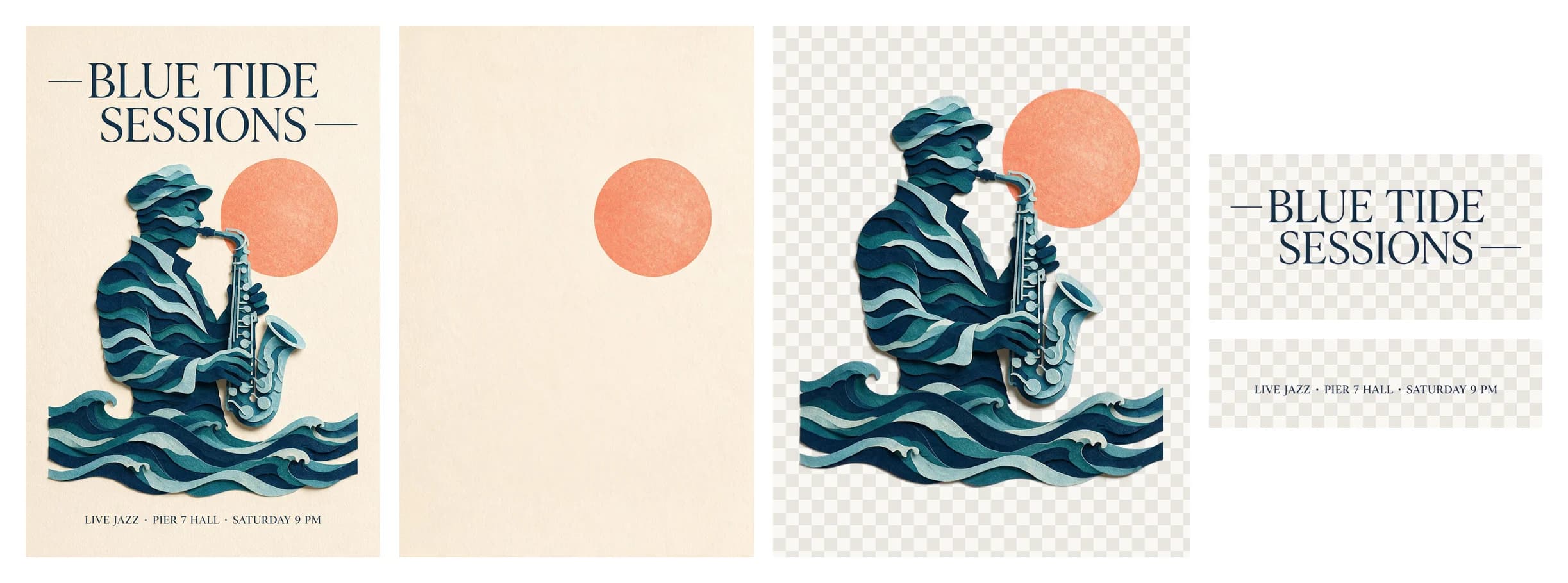
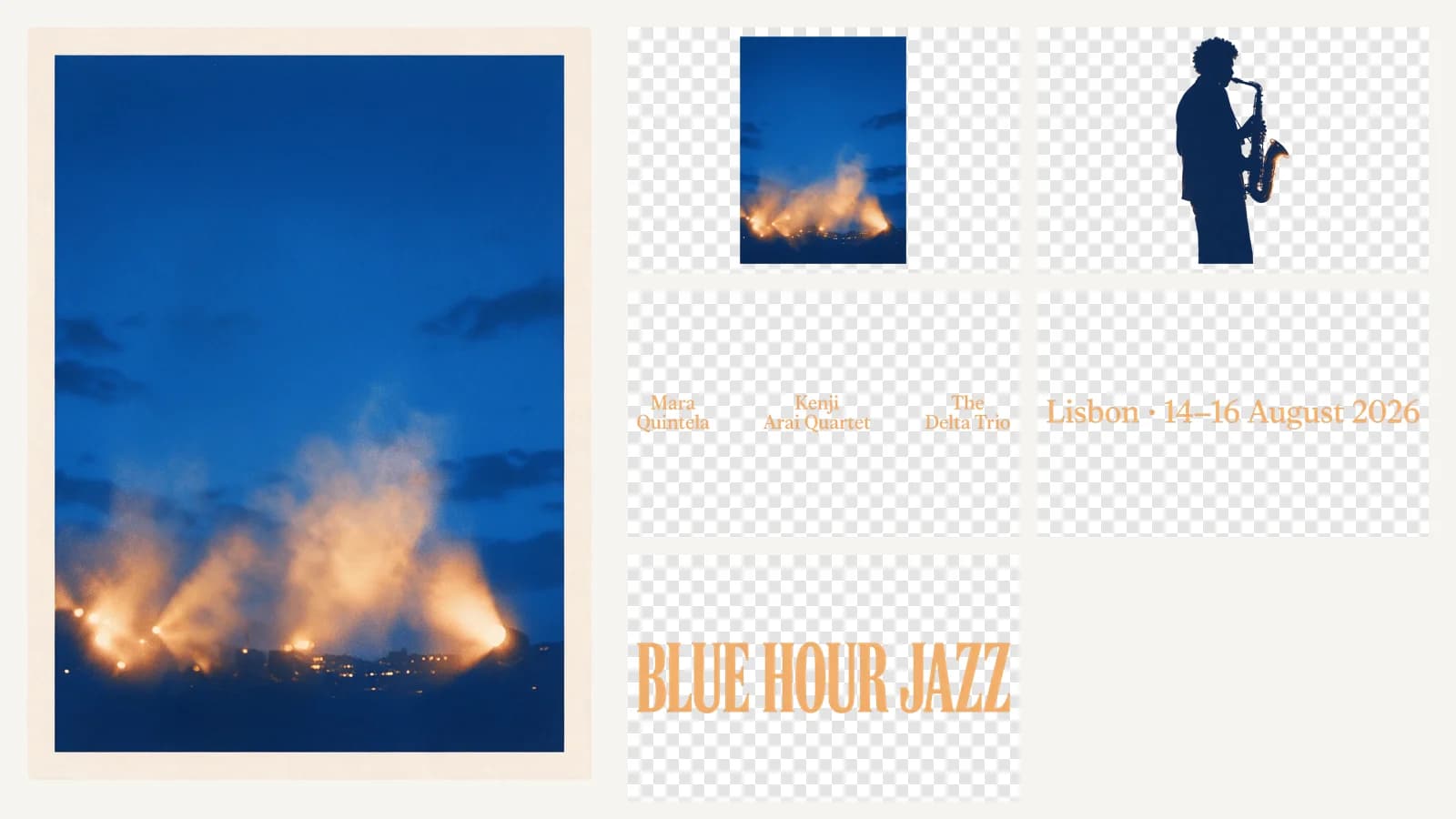
This existing preview combines the source poster and returned transparent elements. It is useful for seeing what separation means, but it is not a guarantee that every poster will split into the same number of layers or have clean boundaries.
Inspect optional metadata alongside each result:
| Field | How to use it |
|---|---|
z_index | Place higher values above lower ones. |
bounding_box.absolute | Position the layer using left, top, right and bottom in base-image pixels. |
bounding_box.normalized | The corresponding coordinates on a 0–1000 scale. |
name, description | Identify the element the model separated. |
text_recognition | Read recognized text, lines and available style information. |
Keep the full result JSON, not just its URLs. A layer can have a different image size from its placement on the base canvas. Use the bounding box when reconstructing the composition, and check the result visually. Font suggestions are estimates; OCR metadata is not a guarantee of the original font or a ready-made PSD file. Artistic lettering, overlapping elements and text excluded by your prompt can produce incomplete results.
Choose dimensions before comparing costs
Generation supports 1K, 1.5K and 2K, plus exact WIDTHxHEIGHT dimensions within 921,600–4,624,220 total pixels and an aspect ratio from 1:16 to 16:1. Layer mode accepts those presets or auto, but not exact dimensions. This contract exposes no 3K or 4K preset, no batch n, no seed and no fast prompt-optimization mode. Parameters from another Seedream version should not be carried over without checking. 1
Current rates are shown here from the same price source as the Playground:
Pricing is currently unavailable. Refresh this page to try again.
Rates refresh automatically. One API key works across all models and groups.
Let L be the output rate up to 2.61 million pixels, H the rate above that boundary, and R the reference-image rate. A 1K generation without a reference costs L; an edit with one reference costs L + R. Both 1K and 1.5K use the lower output rate. Every reference is charged, including the first. 2
A four-image 1K layer request estimates 4L + R. If it returns only the base and two layers, each within the lower band, the final cost is 3L + R. For mixed output sizes, count each image separately: two lower-band images and one larger image cost 2L + H + R. The base is an output image and must not be omitted from that count.
The initial reservation covers the chosen cap. Unused funds are released after the actual outputs are settled, and a failed task is refunded. In our accounting tests, replaying the same completed response did not move the balance a second time. We also checked that a completion without all required image usage facts stayed unsettled instead of treating estimated quantities as observed output.
When a request or result needs attention
A validation error usually points to a mode mismatch: multiple references in layer mode, transparent JPEG, an unsupported size, or layer options on a generation request. Correct the request before creating a new task. A temporary polling error is different: keep the existing ID and retry the GET. These are separate decisions, and combining them into a generic “retry everything” handler risks duplicate paid generation.
For a poor edit, compare one change at a time against the source. A larger output does not establish that the model preserved a label or rendered a headline correctly. For layers, inspect edges and missing metadata before importing the result into a production design. Content review remains enabled by default; a content rejection should not trigger an automatic resubmission with review disabled.
Seedream 5.5 fits workflows that need generation, reference edits or separable design elements under this contract. Seedream 5.0 Pro is a separate model with different defaults and limits. We have not run a controlled comparison that supports claiming one is always better. This guide also makes no separate “5.5 Pro” availability claim or free-generation promise. Check the model page for the current Playground and price, or use the OpenAPI document to build the request validation into your application.
References
- Seedream 5.5 API reference: request fields, defaults, URL inputs, asynchronous responses and layer metadata. Contract checked November 12, 2026.
- Seedream 5.5 live pricing: output pixel bands and reference-image rates.
More Posts

Seedance 2.0 Fast vs Mini: which should you test?
Compare Seedance 2.0 Fast and Mini limits, reference-video billing and sample scenes. Use a matched brief to test quality, turnaround and usable-shot cost.

Seedance 2.5 Flash Pricing
Calculate Seedance 2.5 Flash pricing for a five-second shot. Compare text, reference footage and edits using the live 480p and 720p rates.
Seedream 5.0 Pro layer separation: what it returns and how it is billed
How Seedream 5.0 Pro layer separation works through the API: input rules, size options, the layer data it returns, and per-layer billing you can check first.
Wan API updates
Service updates and model news
Sign up for model news, service updates and API integration information.